
How to Scan a Deck Code
☆ Dual Fusion (C1) has been announced!
┗ Ranked Season B4b SP is underway!
★ Best Decks: Espeon & Darkrai | Mega Lucario ex
☆ Baxcalibur & Chien-Pao ex
★ Events: Pika Pika! | Wonder Pick | Drop Event
☆ Trading Board: B4b Available for Trading!
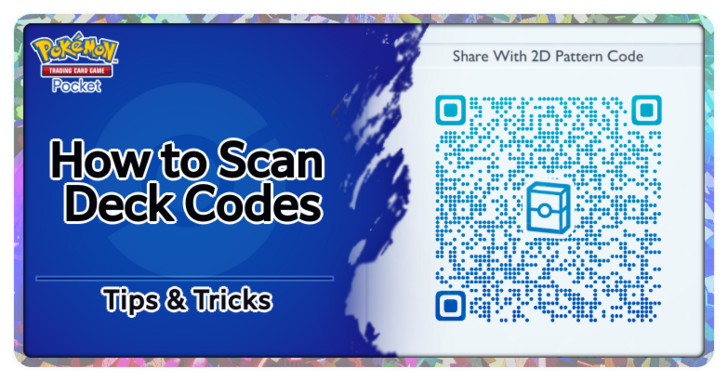
2D Pattern Deck Codes similar to QR codes can be scanned to share decks between players in Pokemon Trading Card Game Pocket (PTCG Pocket). Learn how to scan deck codes, where to find the QR code scanner, and how to make your own 2D pattern codes with this guide!
List of Contents
List of Meta Deck Codes
Best Deck Codes to Scan
| Deck QR Code |
Card List |
|---|---|
 Hoopa ex and Hydreigon Deck Hoopa ex and Hydreigon Deck
 Energy:

|
・B1 Deino ×2 ・B1 Hydreigon ×2 ・B3 Bombirdier ×1 ・B4 Hoopa ex ×2 ・A2 Giant Cape ×1 ・A3 Rare Candy ×2 ・B1 Copycat ×2 ・B2 Lucky Ice Pop ×1 ・B3 Field Blower ×1 ・B4 Deceptive Needle ×2 ・P-A Poke Ball ×2 ・P-A Professor's Research ×2 |
 Mega Absol ex and Hydreigon Deck Mega Absol ex and Hydreigon Deck
 Energy:
|
・B1 Mega Absol ex ×1 ・B1 Deino ×2 ・B1 Hydreigon ×2 ・B3 Bombirdier ×1 ・A2 Rocky Helmet ×2 ・A2 Cyrus ×1 ・A2b Pokemon Center Lady ×1 ・A3 Rare Candy ×2 ・B1 Copycat ×2 ・B2 Lucky Ice Pop ×1 ・B3a Juliana ×1 ・P-A Poke Ball ×2 ・P-A Professor's Research ×2 |
 Mega Sceptile ex and Greninja Deck Mega Sceptile ex and Greninja Deck
 Energy:

|
・A1 Froakie ×1 ・A1 Greninja ×1 ・A3a Pheromosa ×1 ・B3 Treecko ×2 ・B3 Grovyle ×1 ・B3 Mega Sceptile ex ×1 ・B3b Furfrou ×1 ・A2 Cyrus ×1 ・A3 Rare Candy ×2 ・B1 Copycat ×2 ・B3 Fragrant Forest ×1 ・B3a Juliana ×1 ・B3b Small Balloon ×1 ・P-A Poke Ball ×2 ・P-A Professor's Research ×2 |
These are some of the best decks that you can use in the current meta. Try scanning the 2D pattern codes for these if you want to add these decks to your game.
Other Viable Deck Codes
 Heliolisk and Mega Manectric ex Deck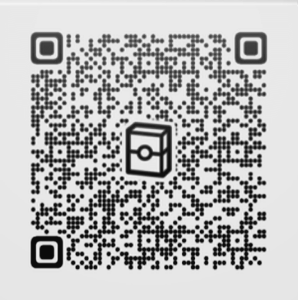

 Hoopa ex and Zoroark ex Deck
 Mega Blaziken ex and Greninja Deck

 Mega Lucario ex and Hitmonlee Deck

 Mega Rayquaza ex and Gouging Fire Deck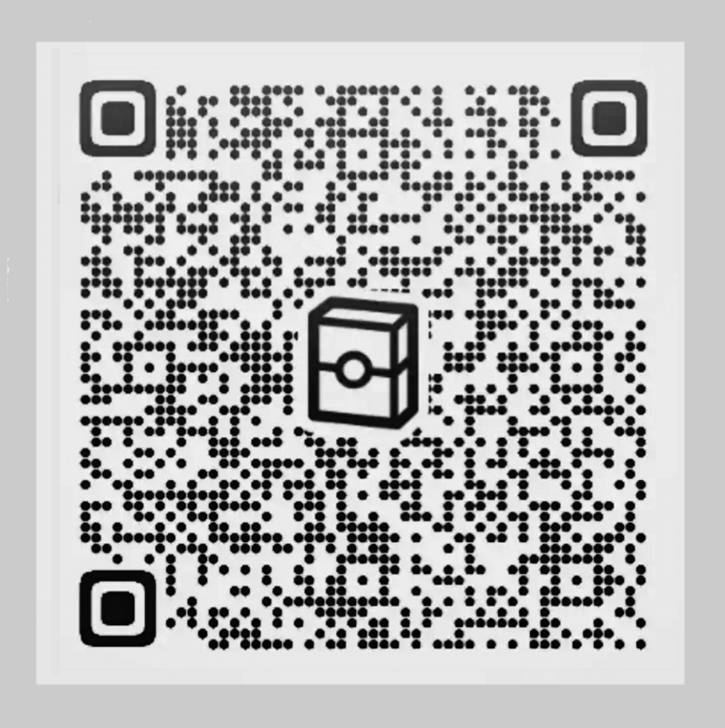
 Miraidon ex and CB Magnezone Deck
 Vespiquen ex and Shuckle ex Deck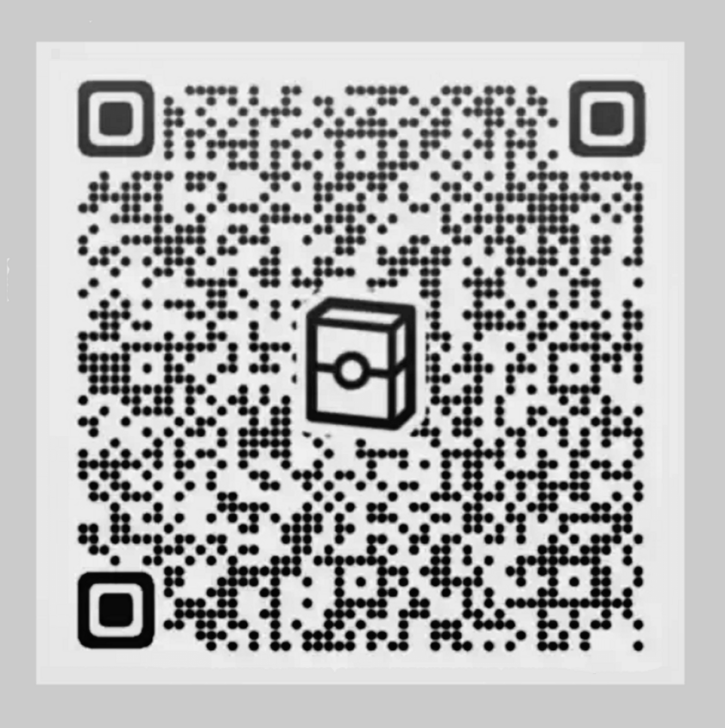
These are other viable top decks that may be fun to play in the current meta. Try scanning the 2D pattern codes and test these decks out!
Best Decks Tier List and Deck Codes
Visit Our Deck Pages for More Codes
Deck codes are available for many of our recommended decks on this wiki. Visit the page of the deck you want, and the deck's QR code should be available below the card list of the deck.
You may also find the deck's QR code by hovering over or tapping your desired deck in our Best Decks Tier List.
How to Scan a Deck Code from a 2D Pattern
Add a New Deck in the Decks Menu
| Step-by-Step Guide | |
|---|---|
| 1 | 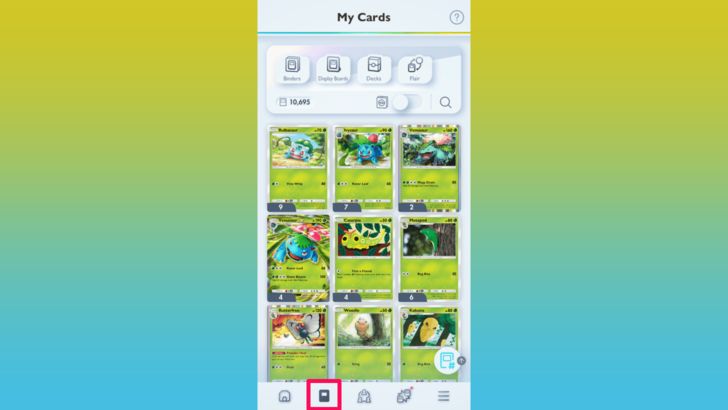 Once you have a 2D pattern deck code that you want to scan, open your Pokemon TCGP app, and head to the Cards tab. |
| 2 | 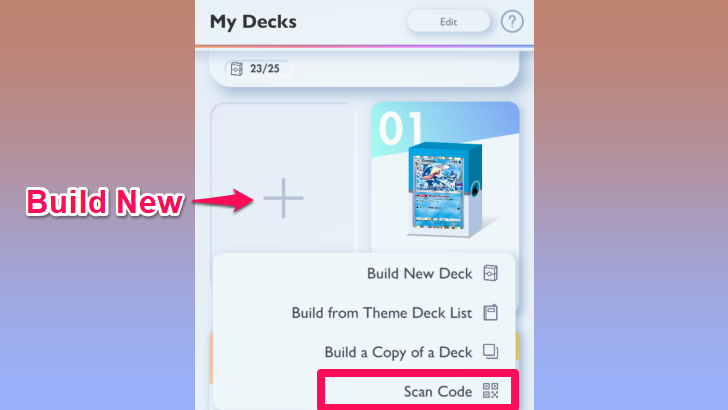 Tap on Decks at the top, then select Build New. You will be given several options for how you want to add a new deck. Select Scan Code to be taken to the QR code scanner. Take note that you will need an available deck slot if you want to scan a deck. |
| 3 | 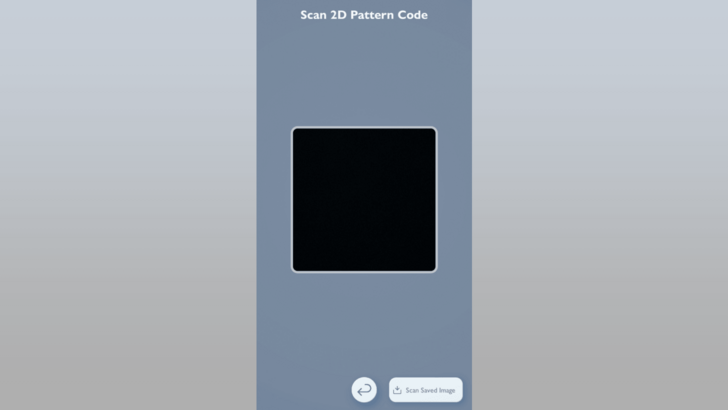 If you have the QR code on a separate screen, point your device towards it, making sure that the code is visible on the viewfinder. |
| 4 | If you have the QR code saved on your phone as an image, you can upload it for the app to read by tapping on Scan Saved Image at the bottom right corner of the Scan Code screen. |
| 5 | 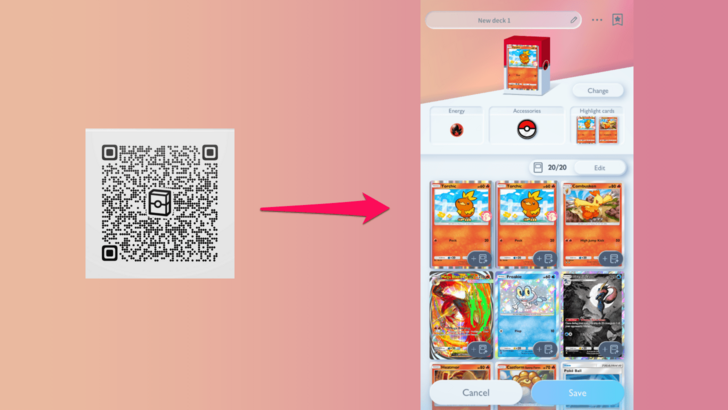 Once you've scanned the code, the equivalent deck will be built using your cards from any rarity of them that you have, so cards with special art may appear on the deck even if the original deck you scanned only had regular cards. You can modify any part of the deck once it's been scanned. Press Save if you're ready to add it to your decks. |
| * | 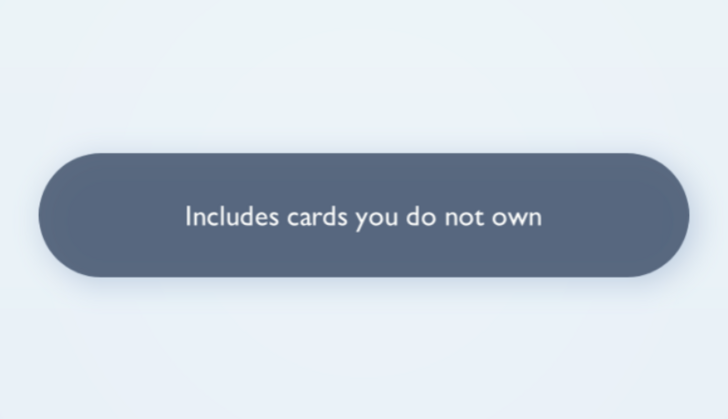 If you don't own all of the cards in the deck you scanned, a message will pop up to let you know. You will not be able to use the deck immediately in this instance. However, you can still save the deck and be able to use it once you've obtained the missing cards. You will also be given the option to add the missing cards to your Wishlist. |
Scanning a deck code to save to your Decks list appears to be the only use of the QR code scanner at the moment, and the scanned decks will only work if you own all the cards required to build it.
Although you aren't able to rent and use decks with cards you don't own, you are granted freedom to modify your scanned decks in any way you want, whether it's to swap out cards or change the deck aesthetics.
How to Make a 2D Pattern Deck Code
Display Code of Your Existing Deck
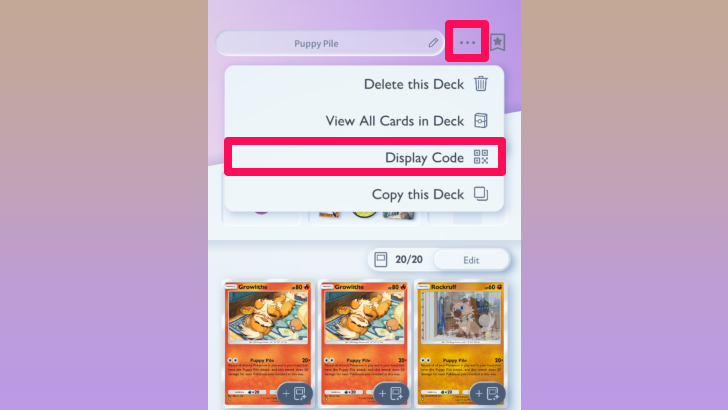
To get the 2D pattern code for your deck, open the deck you want to share. Then, tap on the three dots at the top, and select Display Code.
You can then show the code on your phone to your friend for them to scan directly, or you can take a screenshot to send to other people online.
The 2D pattern code can also be displayed from the View All Cards in Deck screen by tapping the button on the bottom right corner.
Pokemon TCG Pocket Related Guides

Gameplay Guides
 Is There a Pity System?
 How Booster Packs Work
 Best Starter Booster Pack
 How to Reroll for the Best Start
 How to Use the Wonder Pick Feature
 Trading Release Date
 Best Device to Play Pokemon TCG Pocket on
 Gameplay Loop: List of Daily Tasks
 F2P Guide: How to Play Without Spending
 Level Up Guide
 How to Link Accounts
 How to Add Friends
 Best Pack To Open
 Daily Reset Time: What Time Do Servers Reset?
 How to Change Your Profile Icon and Settings
 How to Change Your Username
 Social Hub and Multiplayer Features
 Bonus Pick Guide
 10 Packs: Cost and Differences vs Single Pack
 No Items Can Be Claimed From Thanks Explained
 Pokemon TCG Pocket UI Explained
 Is Pokemon TCG Pocket a Gacha Game?
 Rare Pick Guide
 How to Fix Mythical Island Error Codes
 How to Open Previous Booster Packs
 Which Space-Time Smackdown Pack Should You Pull From
 Which Celestial Guardians Pack Should You Pull From
 How to Recover a Lost Account
 How to Evolve Baby Pokemon
 How to Use the Wishlist
 Which Mega Rising Pack Should You Pull From
 Share Feature Guide
Card and Pull Rate Guides
 Card Rarity Guide Card Rarity Guide |
 Best and Rarest Pull Rates Best and Rarest Pull Rates |
 Alternate Language Cards Alternate Language Cards |
 God Pack Pull Rates God Pack Pull Rates |
 Bent Corner Packs: Is There a Way to Identify Rare Packs? Bent Corner Packs: Is There a Way to Identify Rare Packs?
|
 Six-Card Packs Explained Six-Card Packs Explained |
|---|
Premium Pass Guides
 Premium Pass Guide Premium Pass Guide |
 Premium Missions and Rewards Premium Missions and Rewards |
Comment



Author

How to Scan a Deck Code


Rankings
- We could not find the message board you were looking for.

Gaming News


![Stupid Never Dies Review [First Impressions] | Surprisingly Shallow Gameplay for a Roguelite That Has So Much Style](https://img.game8.co/4659636/e6eb3795e66fb88ce885b33e2c68e7ed.png/thumb)
![Final Fantasy Resonance Review [First Impressions] | Freed From Gacha, a Mobile Final Fantasy Becomes a Classic](https://img.game8.co/4658800/30a5fd716de9c6896b440b4c4b45de99.jpeg/thumb)
![[INTERVIEW] STEINS;GATE RE:BOOT Devs Tease “We’re Pouring Our Hearts" Into the Series' Next Game](https://img.game8.co/4640596/54e1772041fc7f2b0cab415709a1ff16.jpeg/thumb)
Popular Games

Genshin Impact Walkthrough & Guides Wiki
Fire Emblem: Fortune's Weave (FEFW) Walkthrough & Guides Wiki
Aniimo Walkthrough & Guides Wiki
Wuthering Waves Walkthrough & Guides Wiki
Dragon's Dogma 2 (DD2) Dark Arisen Walkthrough & Guides Wiki
Umamusume: Pretty Derby Walkthrough & Guides Wiki
Honkai: Star Rail Walkthrough & Guides Wiki
Zenless Zone Zero Walkthrough & Guides Wiki
Pokemon TCG Pocket (PTCGP) Strategies & Guides Wiki
AION 2 Walkthrough & Guides Wiki








Recommended Games
Fire Emblem Heroes (FEH) Walkthrough & Guides Wiki
Where Winds Meet Walkthrough & Guides Wiki
Diablo 4: Lord of Hatred Walkthrough & Guides Wiki
Super Smash Bros. Ultimate Walkthrough & Guides Wiki
Persona 3 Reload Walkthrough & Guides Wiki
The Legend of Zelda: Tears of the Kingdom Walkthrough & Guides Wiki
Elden Ring Walkthrough & Guides Wiki
Pokemon Brilliant Diamond and Shining Pearl (BDSP) Walkthrough & Guides Wiki
Cyberpunk 2077: Ultimate Edition Walkthrough & Guides Wiki
Monster Hunter World Walkthrough & Guides Wiki







All rights reserved
© 2024 Pokémon. ©1995–2024 Nintendo / Creatures Inc. / GAME FREAK inc.
© 2024 DeNA Co., Ltd.
Pokémon is a registered trademark of Nintendo, Creatures, and GAME FREAK.
The copyrights of videos of games used in our content and other intellectual property rights belong to the provider of the game.
The contents we provide on this site were created personally by members of the Game8 editorial department.
We refuse the right to reuse or repost content taken without our permission such as data or images to other sites.